
PRICING
Subscribe to Make Chrome Text Black
Paddle takes the payment for us. You can pay with a credit or debit card, or with PayPal.
- Your first payment is in 14 days. Cancel before then and you pay nothing.
- You can cancel at any time. If you ask within a month of a payment, we give the money back.
- Your trial key keeps working until it ends. Nothing changes in your browser today.
- Works in Chrome, Edge, Brave, Opera, and Vivaldi.
How to pay with PayPal
The PayPal button is on the second screen after you click Subscribe. Follow these two steps.
-
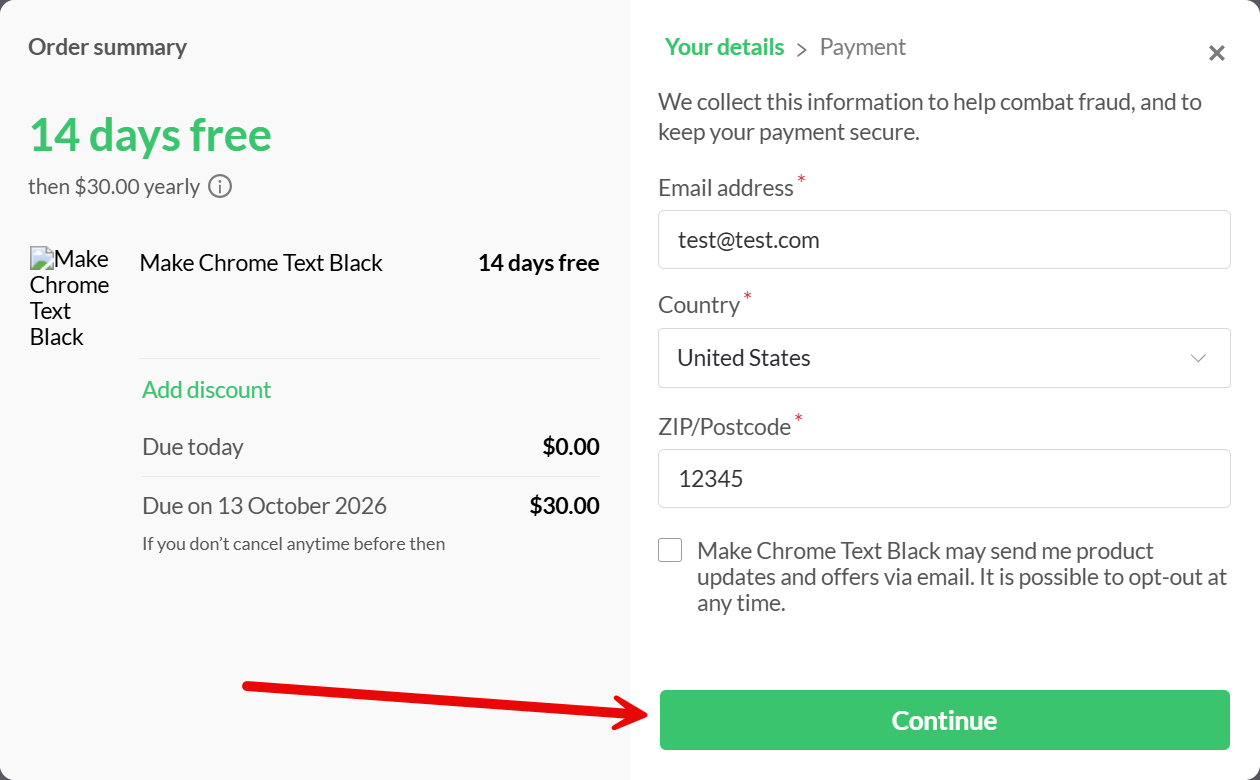
1. Click Subscribe. Type your email address. Choose your country. Type your ZIP code or postcode. Click Continue.
-
2. On the next screen, click the PayPal button at the top. PayPal opens and asks you to sign in.
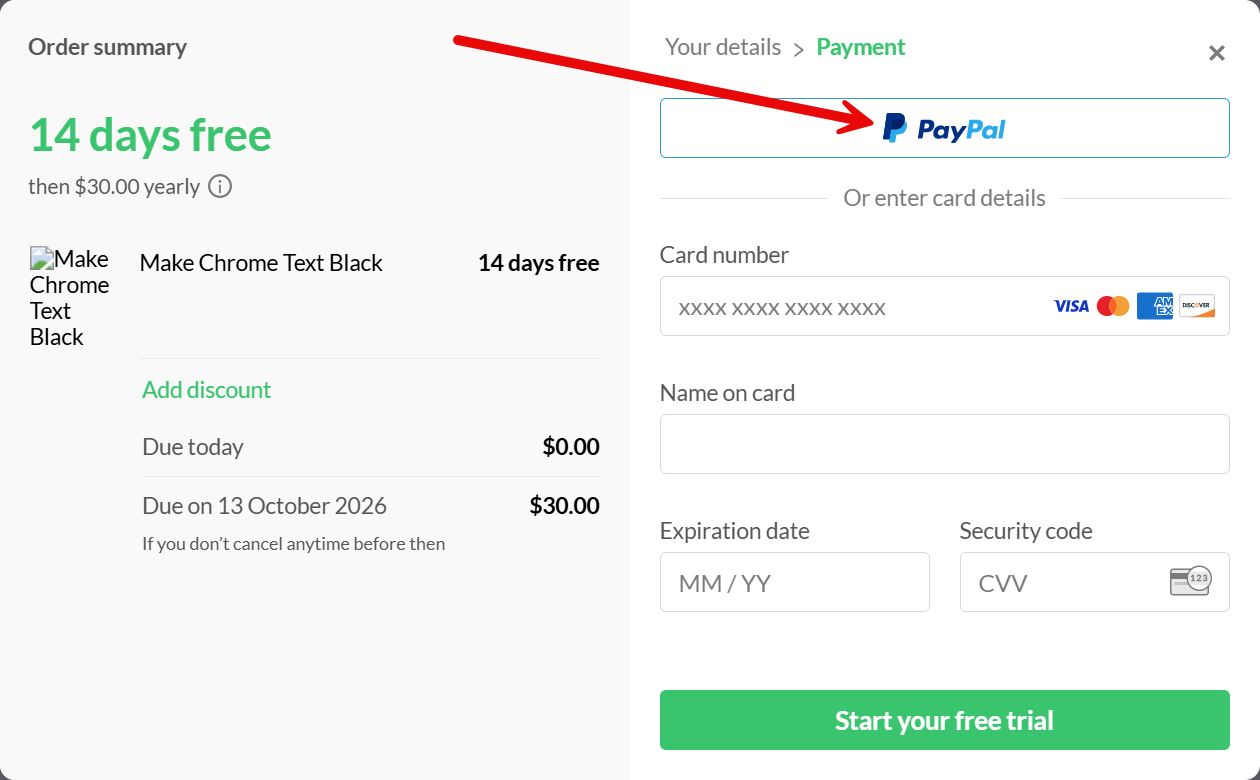
To pay by card instead, type your card details on that same screen, under the PayPal button.
How to enter your new license key
You will see your new license key on the screen after you pay. You will also get it by email. Keep that email.
If your trial has not ended yet, your trial key still works. There is nothing to do until it ends.
When the trial ends, click the paint brush button at the top right of your browser. You will see a box that says Enter your license key. Paste your new key in that box. If you don't see the box yet, try again the next day.